

Pixtov › Guides › Free Canva alternative
A free Canva alternative for Hebrew and English designs
Pixtov is a free design and video website. Open it, pick a template, change the words and download. No account, no watermark, and it works on your phone.
Free · no sign-up · no watermark · works on phone and computer
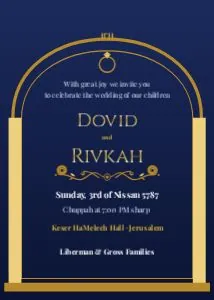
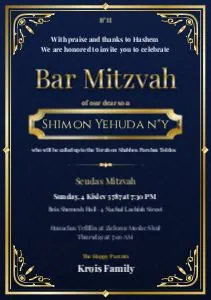

What you get, free
- Hundreds of ready templates
- Download PNG, JPG or PDF with no watermark
- No sign-up and no login
- Works on phone and computer
Real templates you can start from
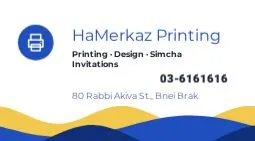
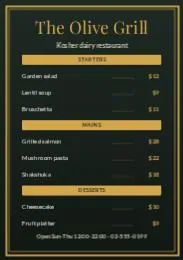

Is Pixtov a replacement for Canva?
Canva is a large design platform with many features. Pixtov is smaller and focused. Everything in it is free, you do not need an account, and it was made for Hebrew and English, with many templates for Jewish events, shuls and businesses.
You can design invitations, flyers, signs, business cards, social media posts and WhatsApp statuses, remove a photo background, and make short videos with music. When you are done, download a picture for WhatsApp or a PDF for printing.
If those things matter to you, try it. It takes one click and there is nothing to install.
Canva is a trademark of its owner. Pixtov is an independent website and is not connected to Canva.
How it works
- Press “Start designing”. The editor opens in your browser, nothing to install.
- Pick a template and change the words, colors and photos.
- Download a PNG, JPG or PDF. Print it or send it on WhatsApp.
Questions and answers
Is Pixtov really free?
Yes. The design editor, the video editor and the apps are free. There is no trial, no watermark and no sign-up.
Do I need to create an account?
No. You open the site and start designing. Your designs are kept in your own browser on your own device.
Can I open my Canva designs in Pixtov?
No. Pixtov cannot open Canva project files. You can start from a Pixtov template and add your own photos and logo.
Does it work on a phone?
Yes. The editor works in the phone browser (Chrome, Samsung Internet, Safari).
More free guides
 Design without watermarkEvery download is clean: PNG, JPG or PDF.
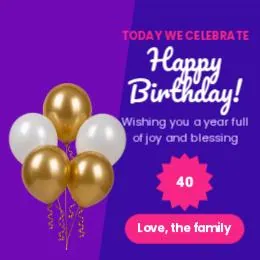 Free design, no loginOpen the site and start. No email, no password.
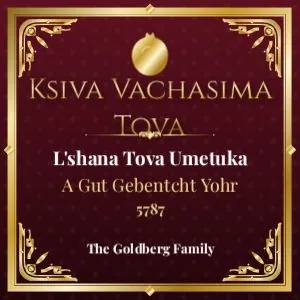 Jewish graphicsShabbos, Yom Tov, simchas and shul notices.
 Bar mitzvah invitationsName, parsha, date: print or send on WhatsApp.
 Related toolFree tools
- All guidesFree design guides