

Pixtov › Guides › Business flyers
Free business flyer maker
Make a flyer for a grand opening, a sale, a service or an apartment for rent. Add your logo and phone number, then print it or share it.
Free · no sign-up · no watermark · works on phone and computer



What you get, free
- Flyers for stores, services and real estate
- Matching business cards and social posts
- QR code maker for your link or phone
- Print-ready PDF or JPG
Business templates in Pixtov

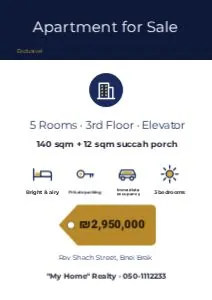

Flyers for small businesses
Pick a flyer, change the words and colors, add your logo and photos, and download. Make a business card, a sign and a social media post in the same style, so your business looks the same everywhere.
Business cards and labels can be printed many to a sheet, ready to cut. Add a QR code that opens your website or phone number.
How it works
- Press “Start designing”. The editor opens in your browser, nothing to install.
- Pick a template and change the words, colors and photos.
- Download a PNG, JPG or PDF. Print it or send it on WhatsApp.
Questions and answers
Can I add my logo?
Yes. Add your logo or photos from your computer or phone. They stay on your device and are not uploaded to any server.
Can I print business cards?
Yes. Business cards, labels and place cards can be printed many per A4 or Letter sheet, ready to cut.
Is there a watermark on the flyer?
No. Every download is free and clean.
More free guides
 Free Canva alternativeNo account, no watermark, Hebrew and English.
 Design without watermarkEvery download is clean: PNG, JPG or PDF.
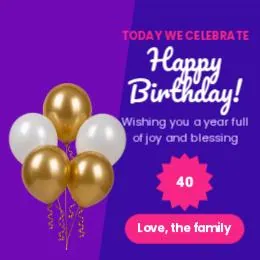 Free design, no loginOpen the site and start. No email, no password.
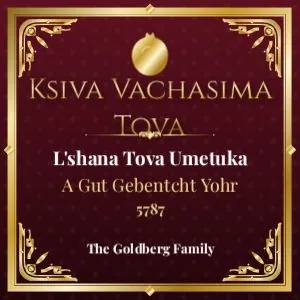 Jewish graphicsShabbos, Yom Tov, simchas and shul notices.
 Related toolFree tools
- All guidesFree design guides