

Pixtov › Guides › Wedding invitations
Wedding invitation maker
Elegant wedding invitations in Hebrew, English or both. Change the names, the date and the hall, then print them or send them on WhatsApp.
Free · no sign-up · no watermark · works on phone and computer
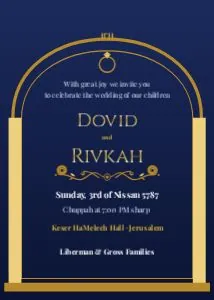

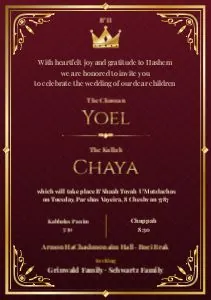
What you get, free
- Elegant invitation templates
- Hebrew, English or both
- Save-the-date, RSVP, welcome sign and menu
- Print as PDF or send as JPG
Wedding templates in Pixtov
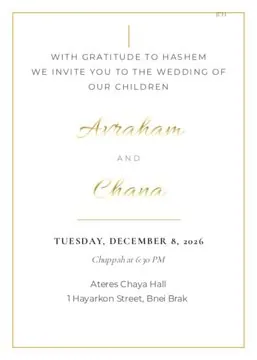
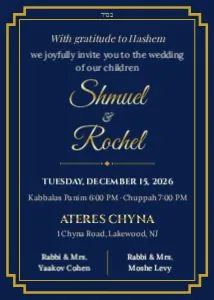
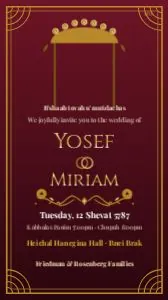
The whole wedding in one style
Start with the invitation, then make the save-the-date, the RSVP card, the welcome sign and the menu in the same style.
For printing, download a PDF at print quality, with bleed and crop marks if the design goes to the edge. For WhatsApp, download a JPG.
How it works
- Press “Start designing”. The editor opens in your browser, nothing to install.
- Pick a template and change the words, colors and photos.
- Download a PNG, JPG or PDF. Print it or send it on WhatsApp.
Questions and answers
Can the invitation be in Hebrew and English?
Yes. Each text box can be Hebrew, English or both, each with its own font.
Can I print the invitations at a print shop?
Yes. Export a PDF at print quality and turn on bleed and crop marks so the printer can cut cleanly.
Is it really free?
Yes. There is no trial, no watermark and no sign-up.
More free guides
 Business flyersOpenings, sales, services and real estate.
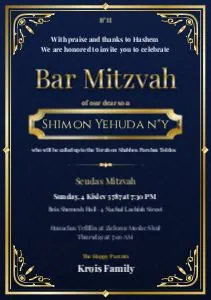 Free Canva alternativeNo account, no watermark, Hebrew and English.
 Design without watermarkEvery download is clean: PNG, JPG or PDF.
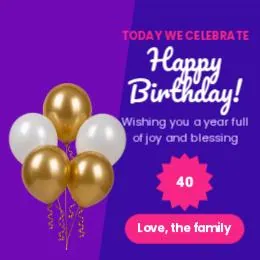 Free design, no loginOpen the site and start. No email, no password.
 Related toolFree tools
- All guidesFree design guides